


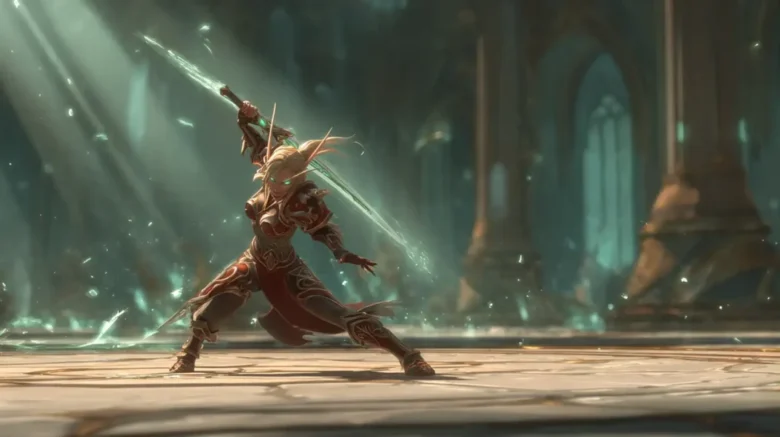
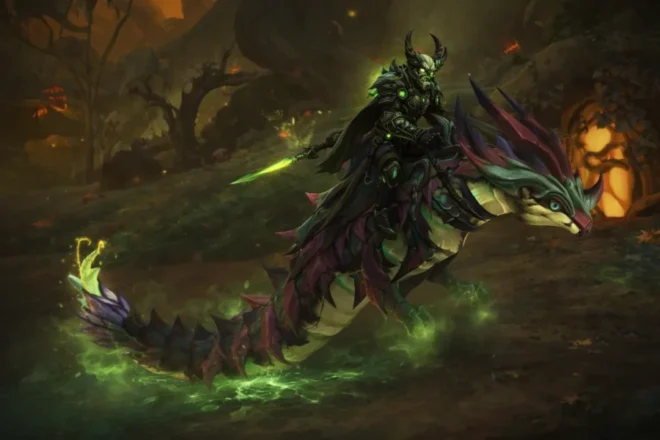
World of Warcraft: Midnight adds 60+ new mounts, including rare drops, renown rewards, Delve exclusives, PvP seasonals, and Mythic raid mounts like Ashes of Belo'ren. This complete collector’s guide covers every confirmed and likely mount, pre-patch removals, farming strategies, and the fastest unlocks to help you prioritize efficiently and minimize RNG before launch.
The WoW Midnight pre-patch delivers the most significant overhaul to the transmogrification system since its original introduction. Rather than treating transmog as a static, item-by-item cosmetic layer, Midnight rebuilds it into a slot-based, logic-driven system designed to persist through gear upgrades and adapt automatically to how and where you play.
At the center of this update is the new Situations framework, which allows outfits to change dynamically based on context—such as location, specialization, movement, or activity—removing much of the manual friction that previously defined transmog management. The result is a system that prioritizes consistency, automation, and long-term convenience, fundamentally changing how players interact with appearance customization throughout an expansion.
In This Guide, We’ll Cover
- How slot-based transmogrification works and why it eliminates repeated re-transmogging
- What the Situations system is and how automated outfit switching functions
- A full breakdown of all available Situation triggers, including locations, movement states, specs, and more
- How to configure specialization-, equipment set-, and form-based outfits
- Known limitations, including conflicting triggers, PvP behavior, and combat restrictions
- A step-by-step first login and quick setup walkthrough
- The gold costs, slot unlock scaling, and what’s actually worth buying
- How legacy transmogs and saved outfits migrate into the new system
- Important caveats around armor types and artifact weapon appearances
Dive deeper into the article to find a special promo code for a discount to save on all your boosts.
Slot-Based Transmog Explained (How Midnight Removes Re-Transmogging)
The most significant technical change within the new transmog system is the move from item-based application to slot-based attunement. In the legacy transmog system, replacing a gear upgrade meant the appearance was lost, requiring a repeat of the transmog cost. Under the new transmog logic, an appearance is attuned to the gear slot itself.
| Feature | Legacy Transmog | Midnight Transmog |
| Appearance binding | Individual items | Gear slots |
| New gear upgrades | Break appearance | Inherit appearance |
| Vendor visits | Required frequently | Optional |
| Gold cost model | Repeated per upgrade | One-time per outfit |
| Leveling visuals | Mismatched “clown gear” | Visually consistent |
| Outfit switching | Paid per swap | Free |
| Automation | None | Situations-based |
This theoretical “permanent” transmogrification is a massive quality-of-life upgrade for the expansion. As characters engage in world quests or dungeons and receive upgrades, the new item automatically inherits the visual design of the attuned slot. This effectively removes the “clown gear” effect—no more saving Azeroth while dressed like a mismatched quest reward mannequin. There is no need to wait for a vendor or mount up after every upgrade; the visual identity remains intact forever. For those who wish to see their base gear, a toggle is available in the dressing room to totally reset slots to their native state.
Situations Explained: How Automated Transmog Works in WoW Midnight
The headline feature of the transmogrification system is “Situations,” providing the ability to automate changes without needing to manually customize gear through macros. Situations can be disabled entirely for players who prefer a single static look, allowing the system to function like the legacy transmog with slot-based persistence.
All Situation Triggers in WoW Midnight (Locations, Movement, Specs, and More)
| Situation Type | Available Triggers | What It Does |
| Locations | Rest Area, Player Housing, Character Select, Open World, Delves, Dungeons, Raids, Arena, Battlegrounds | Automatically swaps outfits when entering different content types |
| Movement | Unmounted, Swimming, Ground Mount, Flying Mount | Changes appearance based on how your character is moving |
| Specializations | Class specializations | Applies different outfits when switching roles |
| Equipment Sets | Character equipment sets | Syncs visual outfits with gear loadouts |
| Racial Forms | Worgen forms, Dracthyr forms | Separate outfits for alternate racial models |
| Professions | Listed (limited behavior) | Indicates future support for crafting/gathering outfits |

- Locations: Currently available in the UI, the See The Entire Outfit to adjust as a character moves between content type include: Rest Areas, Player Housing, Character Select, the Open World, Delves, Dungeons, Raids, Arenas, and Battlegrounds. Each can be independently assigned to an outfit. The “Character Select” option is particularly useful for players who want a consistent login-screen look regardless of what they were wearing mid-activity.
- Movement States: Triggers currently supported include Unmounted, Swimming, Ground Mount, and Flying Mount. These allow for near-instant swaps, enabling distinct looks for exploration, underwater activities, or mounted travel.
- Spec and Loadouts: Attunements can be tied to specific specializations. Additionally, outfits can be assigned to Equip Me Increated in the character panel. Swapping gear sets can now automatically trigger an entire set shift, ensuring a Paladin doesn’t still wear casual robes while face-tanking a boss.
- Racial Forms: Worgen and Dracthyr can set independent attunements for their two forms. These racial forms ensure that an entire outfit is optimized for both the “true” and visage models.
- Professions: Profession-related outfits are listed within the framework, suggesting potential future-facing support for automatically wearing profession-themed attire during crafting. While behavior may currently be incomplete, the UI indicates a move toward associating specific looks with these activities.
Overlapping Situations, PvP Rules, and Combat Restrictions
While the new transmog logic is robust, overlapping triggers require careful configuration. Blizzard has not published an official priority table; the system may resolve conflicts by priority, by a fixed internal order, or by a last-applied rule. In practice, establishing fewer overlapping rules per entire outfit reduces the chance of unexpected visual swaps.
In PvP contexts, “Arena” and “Battlegrounds” are confirmed triggers. However, some beta reports suggest that outfit swapping is restricted during active combat. If a trigger fires mid-fight, the change may wait until the character drops combat to prevent visual disruption during team fights. Community posts suggest testing with 2–3 rules to ensure the preferred look takes precedence.
First Login Guide: Setting Up Your First Automated Outfits
When logging in after the WoW pre-patch, new players and veterans will begin with two available outfit slots. Previously saved outfits are preserved and can be found under the Custom Sets tab. For those ready to dive in, this sequence establishes a functional automated wardrobe:
- Establish a Default: Pay the one-time cost to save a “Default” outfit and check “All” under all Situation headers.
- Create a Contextual Look: Choose a secondary slot and build a specific look (e.g., a “Dungeon” outfit).
- Assign the Trigger: Open the Situations menu for that outfit and select the specific location context.
- Refine the Logic: Add “Ignore Slot” for items to keep static or “Show Equipped Gear” to see new gear drops immediately.
- Manual Overrides: Saved outfits can be placed directly on an action bar, allowing free manual appearance swaps anywhere in the world outside of combat, without visiting a vendor.
Gold Costs, Outfit Slots, and Migrating Old Transmog Sets
While the update adds utility, it does function as a gold sink. Recent developer updates indicate significant price reductions since the early testing phases, though the system is still happy to help slim down a player’s wallet.
- Unlock Costs: The first two outfit slots are free. Unlocking additional slots costs gold. These unlocks are account-wide through the Warband system—a linked group of characters across an account. Players only pay for the slot once per Warband. Outfit slot costs start at 100 gold and scale up to 100,000 gold per slot.
| Outfit Slots Unlocked | Cost per Slot | Total Cost (Cumulative) | Who This Is For |
| 1–2 | Free | 0 gold | Everyone |
| 3–10 | 100g – 5,000g | ~12,650 gold | Casual players |
| 11–20 | 10,000g – 20,000g | ~162,650 gold | Most active players |
| 21–30 | 35,000g | ~512,650 gold | Heavy transmog users |
| 31–40 | 50,000g | ~1,012,650 gold | Collectors |
| 41–50 | 100,000g | ~2,012,650 gold | Completionists |
- Usage Scaling: While unlocking all 50 slots represents a theoretical gold cost of 2,012,650 gold, unlocking the first 20—matching the previous maximum for saving outfits—costs roughly 162,650 gold total, making moderate use of the system easy to afford.
- Maintenance: The gold cost to attune an outfit can be higher than the legacy system, depending on item level and slot complexity, but it is a one-time cost per saved look. Switching between different outfits is free, though updating an outfit’s appearance within the dressing room still incurs a standard transmog cost.
Promo code: Dina_Blog
Use this discount as my thank you for your attention!
For returning players, legacy outfits have been migrated into the appearance tab under “Custom Sets”. A light transition is expected, but Artifact weapon appearances now follow strict weapon-type compatibility. Note that while appearances are account-wide, characters must still respect armor-type rules. A quick visit to the dressing room to verify old sets is recommended.
Ultimately, the WoW Midnight transmog update succeeds in transforming a static costume into a dynamic wardrobe. While some may comment on the upfront gold sink, the insane level of flexibility makes this a welcome change for the expansion. Players can now spend more time completing content and less time at a vendor.
One can expect this system to be the new standard for customization in WoW for years to come. One can only guess how many different outfits players will hunt for as they get comfortable with the new logic and start building looks for every activity. At this point, it is a matter of seeing what looks can be created. One can guess the results will be fabulous.
Author

Epiccarry: best wow boost and coaching services
Frequently Asked Questions
What changed with transmogrification in the WoW Midnight pre-patch?
The WoW Midnight pre-patch completely rebuilds the transmog system from item-based appearances to a slot-based, logic-driven system. Instead of appearances being tied to individual items, they are now bound to gear slots, allowing visuals to persist through upgrades and change automatically based on context using the new Situations framework.
How does slot-based transmogrification work in WoW Midnight?
Slot-based transmogrification attaches an appearance to a gear slot rather than a specific item. When you equip a new item in that slot, it automatically inherits the saved appearance, eliminating the need to re-transmog after every upgrade.
Does WoW Midnight remove the need to re-transmog after getting new gear?
Yes. Once an outfit or slot appearance is saved, new gear upgrades automatically keep the same look. This removes the repeated gold costs and vendor visits that defined the legacy transmog system.
What are Situations in the WoW Midnight transmog system?
Situations are automated triggers that change your outfit based on what your character is doing. These triggers include locations, movement states, specializations, equipment sets, and racial forms, allowing outfits to swap automatically without manual input.
What Situation triggers are currently available in WoW Midnight?
Available Situation triggers include Rest Areas, Player Housing, Character Select, Open World, Delves, Dungeons, Raids, Arenas, Battlegrounds, movement states (mounted, swimming, flying), specializations, equipment sets, and racial forms for Worgen and Dracthyr.
Can I disable Situations and use transmog like the old system?
Yes. Situations can be disabled entirely, allowing the system to function like the legacy transmog experience—but with the added benefit of slot-based appearance persistence.
Does transmog automatically change when switching specializations?
Yes. Outfits can be tied directly to class specializations. When you switch specs, your character can automatically equip a different appearance that matches your role or playstyle.
Can outfits be linked to equipment sets in WoW Midnight?
Yes. Outfits can be assigned to Equipment Sets created in the character panel. Swapping equipment sets can now trigger a full transmog change, keeping visuals aligned with different loadouts.
Are outfit swaps allowed during combat or PvP?
Outfit swapping appears to be restricted during active combat. If a Situation trigger occurs mid-fight, the appearance change may queue until combat ends, especially in PvP environments like Arenas and Battlegrounds.
How many outfit slots can I unlock in WoW Midnight?
Players start with two free outfit slots and can unlock up to 50 total. Additional slots cost gold and are unlocked account-wide through the Warband system.
How much gold does the new transmog system cost?
Unlocking all 50 outfit slots costs approximately 2,012,650 gold. However, unlocking the first 20 slots—matching the old system’s limit—costs roughly 162,650 gold, making moderate use affordable for most players.
Is transmogrification cheaper in WoW Midnight than before?
In the long term, yes. While the upfront cost to save an outfit can be higher, it is a one-time cost. Switching between saved outfits is free, and players no longer pay gold every time they equip new gear.
What happens to my old transmogrification sets?
All previously saved outfits are preserved and moved into the Custom Sets tab. These sets can be applied to the new outfit slots and used with Situations without needing to be recreated.
Are transmog appearances account-wide in WoW Midnight?
Yes. Appearance collections and outfit slots are account-wide through the Warband system. However, characters must still follow armor-type and weapon-type restrictions.
Why can’t I transmog some artifact weapons anymore?
Artifact weapon appearances are now restricted by weapon-type compatibility. If your character cannot normally equip that weapon type, the appearance will no longer appear in the transmog interface, even if it was used in older saved sets.
Comments