Your shopping cart is empty
Don't wait, let's get shopping and find your next deal today!
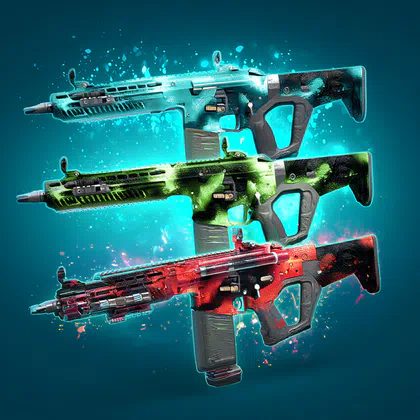
This boost is designed to deliver the exact cosmetic outcome you’re paying for: the Pack-a-Punch camo tiers unlocked, applied, and ready to use. You choose the target tiers; we complete the required Cursed-tier quest clears and validate the unlocks.
|
Reward / Outcome |
What you get |
|
Astra Malorum Pack-a-Punch Camo Tier(s) unlocked |
Target tier unlocks secured via required Cursed-mode main quest completions |
|
Quest steps completed at required difficulty |
Objective routing and boss clear handled under Cursed constraints |
|
Camos equipped and verified |
Camo selection set per tier in Zombies Skins → Pack-a-Punch Camos |
|
XP and run progress |
Weapon/account XP earned during completions (plus possible challenge progress) |
Pack-a-Punch Camos are Zombies visuals applied to a weapon when you upgrade it at the Pack-a-Punch machine. BO7 also supports selecting which Pack-a-Punch camo applies per upgrade tier through the Zombies Skins menu.
In BO7, Pack-a-Punch camo selection is organised by Pack-a-Punch tiers (Tier 1/2/3), meaning you can set a camo per tier and unlock tier-specific variants. Some unlocks are tied to tougher Cursed-mode completions and may require separate clears for each tier.
Go to Weapons → Zombies Skins → Pack-a-Punch Camos and choose the camo you want for each Pack-a-Punch tier. Your selection will auto-apply when you reach that tier in a match.
Yes—BO7 supports disabling Pack-a-Punch camos, so packed weapons keep their original appearance. BO7 supports disabling Pack-a-Punch camos in the Zombies customisation/settings menu, so upgraded weapons keep their original look.
No—Pack-a-Punch camos are cosmetic and don’t change weapon performance. Your damage gains come from the Pack-a-Punch upgrade itself, not the camo.