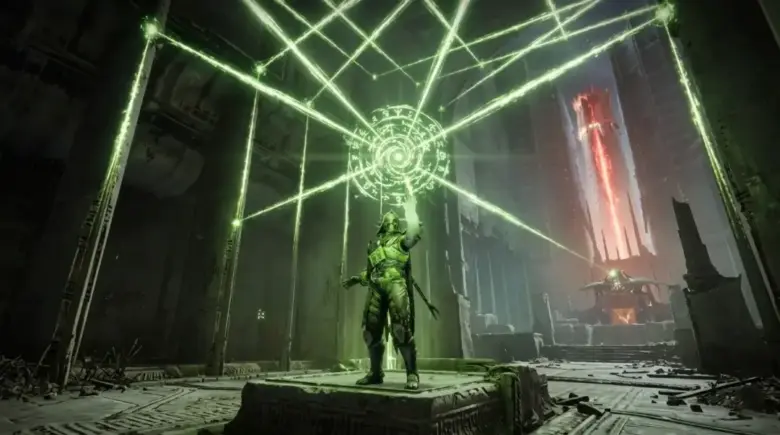
TL;DR: A Destiny 2 checkpoint bot is an account that holds a raid or dungeon instance at a specific encounter so you can load in at that boss instead of replaying the whole run. You join it with the /join <BotBungieName#0000> text chat command while in orbit, then load into the checkpoint it is hosting. Checkpoints move you through space — they don't create loot, don't skip weekly lockouts, and don't grant full-clear credit. The realistic risks are a wrong-difficulty instance, an offline bot and the occasional griefer, not a ban wave.
Why Checkpoint Bots Exist and What They Save You
A full raid run is a long commitment. A checkpoint bot collapses that to the encounter you actually need — the boss you're farming for a specific roll, or the final encounter you need for a quest step. Instead of reassembling a fireteam for an hour of traversal and encounters you've already cleared, you load straight into the fight.
What a checkpoint does not do is equally important. A checkpoint moves you through space. It does not create loot, and it does not count as playing the game for most systems that track that. If you were planning to use a checkpoint to farm a boss past its lockout, that plan doesn't work: weekly lockouts still apply, the boss pays each character once per week outside featured farm rules, and a checkpoint does not multiply that.
The same limit applies to completion credit. Triumphs, seals and challenge completions that need a full run do not care that you killed the last boss. If the reward you're chasing is tied to a full clear, a checkpoint gets you to the fight but not to the achievement.
How to Use a Checkpoint Bot Step by Step
The sequence is short, and the mistakes are almost always made before you ever load in.
📺 Video Guide: How to get ANY Checkpoint for FREE in Destiny 2 including CHESTS
Author: LuckStruck9 · Duration: 3:03

- Pick your activity and encounter. Decide which boss you need — the final encounter of a dungeon, a specific raid encounter, whatever the quest step names.
- Find an active bot for that encounter. Bots rotate; the encounter you want may be hosted right now or may not be.
- Join the fireteam. While in orbit, open the in-game text chat and type
/join <BotBungieName#0000>using the bot name the host provides. You do not need to add the bot as a friend or find it on the roster. - Load in and register the checkpoint. Once you load into the bot's instance, start the encounter and wipe so the checkpoint is saved to your character. Do not try to fight the boss here. Leave the fireteam as soon as the checkpoint registers so the slot frees up, then launch the activity from orbit on your own.
- Leave when you're done. The bot holds the instance; you don't.
If you'd rather skip the coordination entirely, Destiny 2 Vesper's Host Solo is our own service for players who want that dungeon handled without assembling a fireteam.
The failure modes are mundane rather than dramatic. A bot can be offline when you try to join. A host can pull you into the wrong-difficulty instance, which matters most on activities with a Normal/Expert split. And you occasionally run into a griefer who loads in to disrupt rather than to help. None of these are account-security problems; they're just wasted queue time.
Is It Safe? What Bungie's Ban Policy Says
There are no widely reported bans for simply joining a checkpoint. That's the honest state of the evidence, and it's worth stating plainly rather than hedging: the risk profile of a checkpoint bot is not the risk profile of a cheat, a mod, or a paid recovery.
The distinction that matters is what the bot does versus what you do. A checkpoint bot is an account sitting in an instance so other players can load into it. It isn't injecting code into your client, it isn't modifying your game files, and it isn't playing your character for you. Those are the categories that historically draw enforcement action.
What you should treat as genuinely risky is anything that crosses into account access: handing your credentials to a boosting service, letting someone else log in as you, or running third-party software that alters the client. A checkpoint you joined from orbit is none of those things.
That said, treat any third-party tool as a third-party tool. Bungie's public policy documentation is the authority here, not a guide — including this one. If you want the current, binding answer for your platform and your account, read Bungie's own terms and their published known-issues and policy pages rather than relying on community consensus.
Where to Find Checkpoint Bots (D2Checkpoint.com, Discord, Twitch)
There are three practical access routes, and they suit different platforms.
D2Checkpoint.com is the most direct option: a site that lists which encounters are currently being hosted, so you can check availability before you commit to joining anything. It's the closest thing to a destiny 2 checkpoint bot list that stays current, since it reflects what's live rather than what existed when someone wrote a guide.
Discord is where most of the coordination happens. A destiny 2 checkpoint bot discord server typically pairs a bot that posts the current instance with a channel where you request a join. This is also the route where a destiny 2 checkpoint bot console player has the least friction — the bot handles the instance, and you join through the game's own text chat on PlayStation or Xbox exactly as you would on PC.
Twitch works through chat commands. A destiny 2 checkpoint bot twitch channel usually runs a command like !cp that returns the current join instructions. It's the fastest route if you already have a stream open, and the least useful if the streamer is between activities.
Whichever route you take, the mechanics of the destiny 2 checkpoint bot how to use sequence are the same: find the live instance, join via /join, wipe to save the checkpoint to your character, leave the fireteam, and launch the activity from orbit. The platform changes how you join, not what you do.
Which Checkpoints Are Worth Farming
Worth is a function of two things: what the encounter drops, and whether the encounter is the bottleneck in your run.
Dungeon final bosses are the classic target. A destiny 2 checkpoint bot vespers host instance drops you at the end of Vesper's Host, which is where the run's time cost concentrates. The same logic applies to a destiny 2 checkpoint bot spire of the watcher instance — the final encounter is the part worth repeating, and the traversal before it is not. And a destiny 2 checkpoint bot pit of heresy checkpoint is the standard route for players chasing that dungeon's specific drops without re-clearing the whole thing.
For a broader look at which weapons are actually worth the farm once you get there, our Destiny 2 Best Exotic Weapons Tier List (November 2025) covers the current PVE and PVP meta picks.
Raid encounters follow the same rule with one addition: check whether the encounter you're targeting is one that awards a guaranteed drop on first clear per week, since that changes how many characters you need to cycle.
If the Pit of Heresy solo run is the part you'd rather not do yourself, Destiny 2 Pit of Heresy is our own service for it.
Checkpoint Retention, Weekly Reset, and Per-Character Limits
Three rules govern how long a checkpoint is useful to you, and all three are limits on the checkpoint itself rather than on the bot hosting it.
Weekly lockouts still apply. The boss pays each character once per week outside featured farm rules, and a checkpoint does not multiply that. If you've already taken the drop on your Warlock this week, joining a checkpoint on that Warlock doesn't reset anything.
Per-character, not per-account. Loot lockouts are tracked per character, which is why the standard farming pattern is to cycle your characters through the same checkpoint rather than repeating it on one. A checkpoint bot makes that cycle fast; it doesn't change how many times each character gets paid.
Reset wipes the slate. When the weekly reset lands, the lockouts clear and the farm cycle starts over. If you're timing a farm around reset, our Destiny 2 Weekly Reset Guide walks through what rotates and what's worth prioritizing that week.
One more thing worth knowing if you're returning after a break: the game's own structure has shifted under you. The Legends Node has been deprecated and replaced by the Raids and Dungeons node in the Destinations tab, with the raids and dungeons that used to live in Legends moved there. If you're reorienting after time away, our Destiny 2 Renegades Guide (Year 8) covers the current expansion structure.

Frequently Asked Questions
Is using a Destiny 2 checkpoint bot bannable?
There are no widely reported bans for simply joining a checkpoint. Bungie's published policy separates enforcement categories such as client modification, third-party software that alters the game, and handing your account credentials to someone else from simply joining an instance a bot is hosting. For the binding answer on your account, read Bungie's own published policy rather than a community guide.
Does a checkpoint bot give me extra loot?
No. A checkpoint moves you through space. It does not create loot, and it does not count as playing the game for most systems that track that. Weekly lockouts still apply, and the boss pays each character once per week outside featured farm rules.
Can I use a checkpoint bot on console?
Yes. Console players join through the game's own text chat on PlayStation or Xbox, the same way PC players do. Discord is usually the smoothest route on console because the bot posts the instance and you join from orbit.
Do I get triumph or seal credit from a checkpoint?
Not for anything that requires a full run. Triumphs, seals and challenge completions that need a full clear do not care that you killed the last boss.
What are the actual risks of using one?
Practical risks are mundane: a wrong-difficulty instance, a bot that's offline when you try to join, and occasional griefing from other players in the same instance. None of these are account-security issues.