Welcome to the front lines. Navigating the vast, chaotic theaters of war in Battlefield 6 can be a daunting experience for new recruits and veterans alike. We’ll cover the following topics:
- Core Game Modes – Structure and objectives of All-Out Warfare and Close-Quarters playlists
- Strategic Map Control – Ticket mechanics, flag prioritization, and flanking strategies
- Squad Compositions – Class combinations for balanced, aggressive, and vehicle-oriented teams
- Class System Overview – Roles, traits, weapons, gadgets, and training paths for Assault, Engineer, Support, and Recon
- Downed State Mechanics – Survival extensions, revival procedures, and ticket conservation
- Infantry Combat – Gunnery accuracy, suppression effects, advanced movement, and flank creation
- Sniping Techniques – Ballistics, scope zeroing, sweet spot mechanics, and countermeasures
- Vehicle Operations – Tank, jet, and helicopter performance, loadouts, and tactical use
- Stationary Emplacements – Role of anti-air and fixed weaponry in battlefield control
- Recommended Settings – Field of view, sensitivity, HUD layout, and visual clarity adjustments
You might be interested in:
Battlefield 6 Game Modes Guide: Conquest, Breakthrough, Rush & More
Understanding the unique objectives of each game mode is the first step to becoming an effective soldier. Battlefield 6 is set to launch on PC, PlayStation 5, and Xbox Series S|X with a diverse array of multiplayer modes, each with its own strategic flow and victory conditions.
| Mode | Type | Player Focus | Key Objective | Notable Features |
| Conquest | All-Out Warfare | Combined arms | Hold majority of flags to bleed enemy tickets | Massive maps, infantry + full vehicle roster |
| Breakthrough | All-Out Warfare | Attack vs. Defend | Attackers capture all objectives in each sector | Linear tug-of-war, limited attacker tickets |
| Rush | All-Out Warfare | Coordinated pushes | Plant explosives on M-COM objectives | Small-scale focused assault, careful ticket use |
| Firestorm | All-Out Warfare (Battle Royale) | Survival squads | Last squad standing | Destructible terrain, environmental hazards |
| Domination | Close-Quarters | Infantry only | Hold flags | Smaller map sections, nonstop firefights |
| King of the Hill | Close-Quarters | Infantry | Hold rotating central point | Point relocates to force movement |
| Squad Deathmatch | Close-Quarters | Small squads | First to target kills | Four squads competing simultaneously |
| Escalation | Close-Quarters + Large-Scale blend | Mixed | Capture points until only one remains | Objectives disappear over time, high intensity |
All-Out Warfare in Battlefield 6: Large-Scale Combat Tips

- Conquest: The signature Battlefield sandbox experience. In this sprawling conflict, two teams vie for control over numerous flag objectives across a massive map. The goal is to hold the majority of flags, which causes the enemy team’s ticket score to “bleed” to zero. This mode is the ultimate showcase of combined arms, featuring the full range of infantry, tanks, helicopters, and jets working in tandem.
- Breakthrough: A linear, attack-vs-defend mode where the map is divided into sectors. The attacking team must capture all objectives in a sector to push the frontline forward, creating a powerful sense of a tug-of-war. For the defending team, it is an intense siege where they must hold the line against a determined assault. Attackers have a limited number of tickets (lives), while defenders typically have infinite respawns.
- Rush: A more focused attack-vs-defend mode where attackers must plant explosives on pairs of objectives called M-COMs. First introduced to many players during the second weekend of the open beta, this mode requires attackers to manage their limited tickets carefully for every coordinated push.
- Firestorm: The Battle Royale mode makes its return, set in a reimagined California landscape. Players can expect a large-scale, last-squad-standing experience infused with signature Battlefield elements like environmental hazards and destructible terrain.
Close-Quarters Modes in Battlefield 6: Domination, King of the Hill & More
- Domination: A fast-paced, infantry-only version of Conquest played on smaller sections of the larger maps. With fewer flags and no vehicles, it’s an intense, non-stop gunfight ideal for players who want constant action.
- King of the Hill: A chaotic mode where two teams fight for control of a single, central capture point that periodically disappears and relocates, forcing constant movement and adaptation.
- Squad Deathmatch: A chaotic free-for-all where four squads of four players compete to be the first to reach a target number of kills.
- Escalation: A groundbreaking new mode that blends the scale of Conquest with dynamic, high-stakes intensity. As the match progresses, the number of available capture points progressively diminishes, funneling all remaining players into increasingly concentrated and chaotic battles for the final objectives.
Battlefield 6 Map Control Tips: How to Capture Flags & Win with Tickets
Winning in Battlefield isn’t just about out-shooting the enemy; it’s about out-thinking them on a strategic level. The game’s fast time to kill makes smart positioning far more valuable than reckless aggression.
Battlefield 6 Ticket System Explained: How to Save Tickets & Win Matches
Most game modes in Battlefield are governed by a ticket system. Think of tickets as your team’s collective pool of lives. When a player on your team dies and is forced to respawn, your team loses one ticket. The goal is to deplete the enemy’s tickets to zero. Crucially, if a downed player is revived by a teammate, no ticket is lost. This makes revives one of the most strategically important actions in the game.
Battlefield 6 Map Strategy: Flag Priority & Flanking Tactics
- “Gimme Flags” and The Center Flag: At the start of a Conquest match, the flags closest to your main spawn are called “gimme flags.” Securing these immediately is critical. The central flag on the map is often the most important strategic objective, as controlling it typically opens up the most flanking routes.
- The Art of the “Back-Cap”: This is a classic tactic where a small squad bypasses the main battle to capture an objective deep in enemy territory. This forces the enemy to divert players to deal with the threat, relieving pressure on the frontline and creating an opening for your team.
Best Squad Compositions in Battlefield 6: Class Synergy & Team Builds
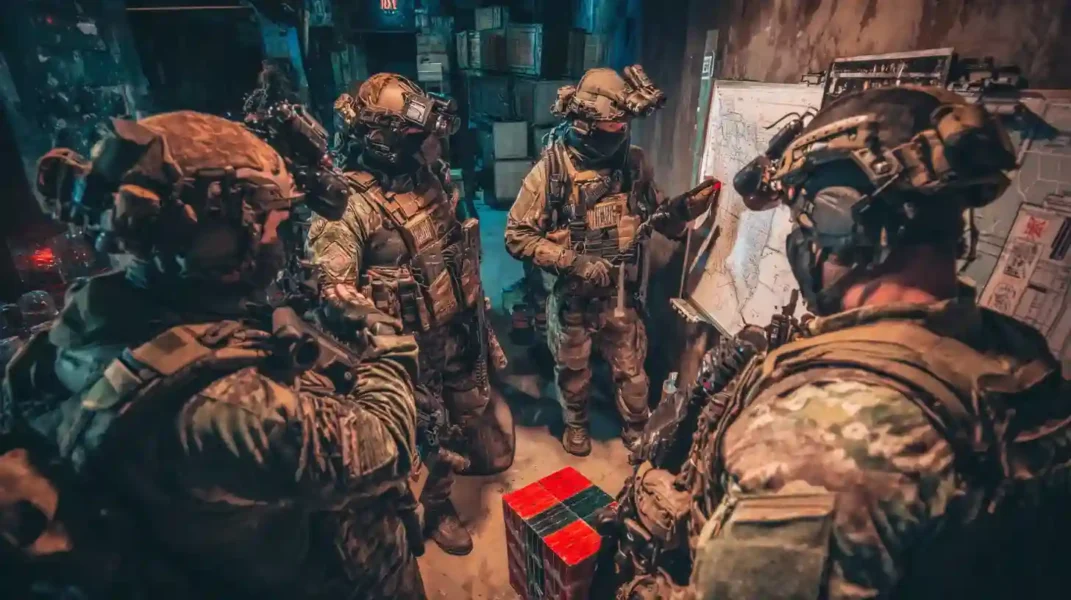
A well-balanced squad that leverages the strengths of each class will always outperform a group of lone wolves. Effective coordination, often through voice comms, is essential for gaining an advantage. Here are some examples of effective squad compositions:
| Squad Type | Classes Used | Strengths | Weaknesses |
| Balanced Squad | Assault, Engineer, Support, Recon | Versatile, adaptable, strong in all situations | No extreme specialization |
| Aggressive Objective Push | 2× Assault, 2× Support | High sustain under fire, excels at urban pushes | Vulnerable to vehicles without Engineer |
| Vehicle Dominance Crew | Tank driver + 2× Engineer + Support | Excellent vehicle uptime, strong anti-armor | Weak if vehicle destroyed, less flexible on foot |
- The Balanced Squad: The classic and most versatile setup: 1 Assault (frontline push), 1 Engineer (anti-vehicle), 1 Support (healing/ammo/revives), 1 Recon (intel/long-range).
- The Aggressive Objective Push: For example, a squad of 2 Assaults and 2 Supports can overwhelm and hold a point through sheer attrition, especially when attacking multi-story buildings.
- The Vehicle Dominance Crew: 1 player driving a tank, with 2 Engineers constantly repairing and a Support player providing ammo for rockets and healing the Engineers.
Battlefield 6 Class Guide: Assault, Engineer, Support & Recon Tips
Battlefield 6 marks a deliberate return to the series’ roots with a traditional four-class system. This is a direct response to the “Specialist” system in Battlefield 2042. The goal is to re-establish well-defined roles and encourage strategic interdependence. Some playlists are even class locked, forcing you to use only your class’s signature weapons to reinforce this design. Each class also has access to Training Paths, also known as Field Specs, which function as in-match skill trees.
| Class | Primary Role | Signature Trait | Signature Weapons | Key Gadgets | Training Path Highlights |
| Assault | Frontline attacker | Reduced fall damage, no slowdown from drops | Assault Rifles | Adrenaline Injector, Deploy Beacon | Faster healing, extra gadget uses, enemy ping |
| Engineer | Vehicle combat & repair | Auto-repairs vehicle occupied | PDWs/SMGs | Rocket launchers, Repair Tool | Faster reloads, vehicle repair boosts, mine spotting |
| Support | Healing & resupply | Acts as mobile health station | LMGs | Supply Crate | Faster revives, larger supply radius, mounted weapon control |
| Recon | Intel & long-range threat | Auto-spots enemies when aiming | Sniper Rifles | UAV, Recon sensors | Enemy debuffs, lethal precision, revive denial |
Battlefield 6 Assault Class Guide: Traits, Weapons & Gadgets
The quintessential front-line infantry role, designed for pushing objectives and leading the charge.
- Signature Trait – Soft Landing: The Assault’s inherent passive trait provides reduced fall damage and eliminates any movement speed penalty after falling from heights.
- Signature Weapon Proficiency (Assault Rifles): Grants faster sprint-to-fire speed and quicker weapon swap times.
- Signature Gadget – Adrenaline Injector: This gadget immediately triggers health regeneration back to full and also provides temporary buffs, including increased sprint speed, resistance to explosives and stuns, and an enhanced ability to hear enemy footsteps.
- Signature Gadget – Deploy Beacon: In a major design shift to promote frontline team play, the iconic Deploy Beacon has been moved from the Recon class to Assault. This redefines the beacon as a tool for coordinated squad pushes and surprise flanks, rather than a camping tool for snipers. It has a finite number of uses and will self-destruct if the Assault player who placed it respawns on it, making it a valuable tactical resource.
Training Path (Field Specs) – Frontliner:
- Level 1: Gain an extra charge for your Adrenaline Injector.
- Level 2: Gain improved health regeneration.
- Active Ability: Activate a stimulant that pings nearby enemies.
Battlefield 6 Engineer Class Guide: Anti-Vehicle Tips & Loadouts
The go-to class for destroying enemy vehicles and keeping friendly armor running.
- Primary Role: The definitive anti-vehicle specialist and repair technician. A good Engineer is the lifeblood of your team’s armored column.
- Signature Weapon Proficiency (PDWs/SMGs): Grants improved hip-fire control, making them deadly in the close-quarters engagements they often find themselves in while defending or attacking vehicles.
- Signature Trait – Auto-Repair: The Engineer’s inherent trait automatically regenerates the health of any vehicle they are currently inside. This makes an Engineer-driven or occupied vehicle significantly more durable and less reliant on external repairs during a push.
- Launchers: Engineers are now limited to carrying one launcher type at a time, a balance change to encourage more deliberate loadout choices.
Training Path (Field Specs) – Anti-Armour:
- Level 1: Gain faster reload times for rocket launchers.
- Level 2: Your rockets will disrupt and slow the repair systems of any vehicle they hit.
- Active Ability: Temporarily “overload” your repair tool for dramatically increased repair speed.
Training Path (Field Specs) – Combat Engineer:
- Level 0 (Passive): Automatically repairs the vehicle you are currently occupying.
- Level 1: Grants longer use of the Repair Tool before it overheats.
- Level 2: Automatically spots nearby enemy mines.
Battlefield 6 Support Class Guide: Healing, Ammo & Revives

The indispensable backbone of any squad, responsible for healing, resupply, and holding the line.
- Primary Role: To keep the squad alive and fighting. The Support class combines the roles of medic and ammo provider, making them arguably the most critical class for team success.
- Signature Weapon Proficiency (LMGs): Removes the standard movement speed penalty associated with Light Machine Guns, allowing you to remain mobile while providing suppressive fire.
- Signature Trait – Combat Medic: The Support’s core trait allows them to act as a mobile health station. Teammates can directly interact with them to receive healing. Furthermore, the Support player will regenerate their own health upon successfully reviving a teammate.
- Signature Gadget – Supply Crate: Deploys a crate providing ammo and health. Crucially, its healing works even when teammates are suppressed.
Training Path (Field Specs) – Combat Medic:
- Level 1 (Passive Heal): Teammates can interact with you to receive a heal.
- Level 2 (Revive Recovery): You instantly begin to regenerate your own health upon reviving a teammate.
- Active Ability: Deploy an enhanced aid station with faster revives and a larger supply radius.
Training Path (Field Specs) – Fire Support:
- Level 0 (Passive): Provides improved weapon control when your LMG is mounted.
- Level 1: Offers more options to provide ammunition to teammates.
Battlefield 6 Recon Class Guide: Sniping & Intel Gathering Tips
The team’s eyes and ears, providing crucial intel and eliminating key targets.
- Primary Role: To provide battlefield intelligence and disrupt the enemy from a distance, either through precision fire or infiltration.
- Signature Weapon Proficiency (Sniper Rifles): Grants faster rechambering (more fire rate) and a longer breath-hold duration for more stable shots.
- Signature Trait – Auto-Spot: Automatically spots enemies for your team when you aim at them, providing a constant stream of intel.
- Alternative Playstyle – The DMR: While sniper rifles are their signature, Recons can be highly effective with Designated Marksman Rifles (DMRs), allowing for a more mobile, objective-focused playstyle.
Training Path (Field Specs) – Sniper:
- Level 1 (Tag and Debuff): Hitting an enemy with a sniper shot spots them and slows their health regeneration.
- Level 2 (Lethal Precision): Enemies killed with a sniper headshot cannot be revived.
- Active Ability: Call in a UAV to passively spot all enemies in an area.
Battlefield 6 Downed State Guide: Revives, Ticket Saving & Survival
The downed state is not the end. It’s a critical opportunity to help your team.
- Drag to Revive: When a teammate is downed, any class can grab and drag them into cover before initiating a revive.
- Pinging While Downed: You can still spot and ping enemies while downed. Continuously hitting the spot button can give your squad members a crucial advantage.
- Extend Your Timer: Holding the “call for medic” button slows down your bleed-out timer, giving medics more time to reach you.
- Strategic Decisions: Waiting vs. Skipping: Before skipping, assess the situation. Waiting for a revive saves a ticket. However, if a revive attempt is guaranteed to get your teammate killed, sometimes a “tactical death” (skipping) is the right call.
Battlefield 6 Combat Guide: Infantry, Sniping & Vehicle Tips
The Fundamentals of Gunnery & Suppression
- Weapon Bloom: Even while aiming down sights, bullet spread increases with continuous fire. For long-range accuracy, use short, controlled bursts.
- Suppression Evolved: Near-miss shots cause visual distortion and—critically—stop an enemy’s passive health regeneration. Suppression no longer affects your own weapon accuracy.
Advanced Movement Mechanics
- Crouch Slide: Double-tap the crouch key while sprinting to execute a slide for rapid directional changes or entry into cover.
- Flick Look (180° Snap): Assign this feature in gameplay settings for an instant 180° turn—perfect for countering surprise attacks from behind.
- Creating Flank Routes: Many maps have glass barriers that block alternate paths. Sprint and vault through them to open surprise attack lines.
Firing Range & Weapon Familiarization
- Test recoil patterns, attachment effects, and time-to-kill before heading into matches. Shooting the training room’s glass walls is a quick way to visualize bullet spread and recoil climb.
Battlefield 6 Sniping Guide: Scope Zeroing, Ballistics & Counterplay
- Ballistics & Zeroing: Account for bullet drop and velocity when leading distant moving targets. Zero your scope to the target’s distance (e.g., 500m) to aim directly without guesswork.
- The “Sweet Spot” Mechanic: At certain mid-ranges (around 80+ meters, varies by rifle), sniper shots gain a damage bonus, enabling one-shot upper-chest kills.
- Counter-Play – The Rainbow Glint: If you see a rainbow-tinted scope glint, you’re likely in an enemy sniper’s sweet spot range—reposition immediately.
- Relocation & Recon: Your own scope glint is highly visible; after 1–2 kills, change position. Use your vantage for spotting high-value targets for your team.
Advanced Battlefield 6 Infantry Tips: Weapon Stats & Squad Orders
- Fastest Weapon XP: Domination mode offers short, action-packed matches ideal for leveling weapons quickly.
- Key Weapon Stats: Focus on Muzzle Velocity (for long-range shots), Precision (tightens spread for tap-firing), and Headshot Multiplier (boosted by specific attachments).
- Barrel-Origin Ballistics: Bullets spawn from your weapon barrel, not your eyes—ensure your barrel is clear of obstacles before firing.
- Squad Orders: Only squad leaders can mark objectives. Capturing marked points yields bonus XP for all squad members.
Battlefield 6 Vehicle Guide: Tanks, Jets, Helicopters & AA Tips
| Vehicle | Role | Strengths | Weaknesses | Key Tips |
| Tank | Armored spearhead | Heavy armor, high damage | Slow, vulnerable to coordinated anti-vehicle attacks | Angle armor, keep moving, use countermeasures wisely |
| Attack Jet | Air superiority & bombing | High mobility, versatile loadouts | Needs constant rearm/repair | Use afterburners, manage missile locks, master bombing runs |
| Attack Helicopter | Close air support | Strong against ground targets | Vulnerable to AA & missiles | Fly low for cover, hit-and-run tactics, pilot-gunner coordination |
| Stationary AA | Anti-air denial | Shreds aircraft quickly | Fixed position, easily destroyed | Use when enemy air is dominant |
General Principles
- Physical Vehicle Spawns: Tanks, jets, and heavy vehicles appear at fixed locations on the map—never in the deploy menu.
- Repair & Rearm: Aircraft and tanks must use specific map-based stations to restore health and ammo; no passive in-air repair exists.
Battlefield 6 Tank Guide: Armor Angling, Loadouts & Countermeasures
- Performance Notes: Many players consider tanks underpowered—low splash damage, clunky handling, and no Active Protection System.
- Damage System & Soft Caps: Self-repair only works to certain health thresholds; engineers or repair stations are required for full restoration and resupply.
- Backup Ammunition: Switch to alternative shell types if your primary ammo runs out.
- Countermeasures: Jammers and Smoke Screens break missile locks; Quick Repair restores health during emergencies.
- Weapon Variants:
- Standard Tank: Balanced cannon + wire-guided missile.
- M1A2 Variant: Slower-firing cannon capable of one-shotting helicopters.
- Tactical Play: Angle your armor toward threats, keep moving, and use Crawl Speed for precision positioning.
Battlefield 6 Attack Jet Guide: Dogfighting & Bombing Runs
- Flight Model: Classic Battlefield handling—slow for sharp turns, accelerate for climbs. Afterburners trigger at max throttle.
- Dogfighting & PIP: In air combat, place your Projected Impact Point reticle directly over the target before firing.
- Third-Person Free Look: Improves situational awareness and precision bombing.
- Bombing Runs: Third-person reticle shows exact bomb impact point for accurate strikes.
- Loadout Awareness: Match missile types to your intended role (air-to-air or air-to-ground).
- Key Settings (PC): Remap Pitch Up to Spacebar, Pitch Down to Left Alt; turn Third Person Camera Roll OFF for a stable horizon.
- Combat Loop: Repair/rearm, execute bombing run, use flares only on “Missile Incoming,” then retreat to repeat.
Battlefield 6 Attack Helicopter Guide: Pilot & Gunner Tips
- Performance Notes: Controls feel sluggish—requires adaptation.
- Pilot-Gunner Roles:
- Pilot: Survival, countermeasure management, positioning.
- Gunner: Autocannon for infantry/light vehicles, AGM missiles for armor.
- Threat Priorities: Enemy helicopters, mobile AA, stationary AA, then infantry with Stingers. A single Stinger hit can deal ~90% damage.
- Use of Cover: Fly low behind terrain to break locks and approach from unexpected angles.
- Attack Runs: Hit-and-run tactics—avoid hovering in hot zones.
- Repair & Retreat: Pull back and repair before re-engaging.
- Wingman System: Pair with a jet for air cover while focusing on ground targets; share target spotting intel.
Stationary Emplacements
Anti-Air Cannons: Available to any infantry; extremely effective for breaking enemy air superiority.
Best Battlefield 6 Settings for Beginners: FOV, Sensitivity & HUD
Settings Overview for Beginners
This guide focuses on gameplay rather than an exhaustive settings breakdown. For a deep dive, check a dedicated Best Settings Guide — but here are the key tweaks every new player should make for better visibility, control, and awareness.
Console Quick Settings:
- Field of View (FOV): Start around 106 for balanced awareness and visibility.
- Controller Sensitivity: Begin between 30–50 until you find a comfortable range.
- Controller Dead Zones: Lower to about 12–13 for more responsive input.
- Acceleration: Turn off for more consistent aiming.
General Recommended Changes
Graphics:
- Max out Vehicle Third-Person FOV for better peripheral awareness.
- Set Weapon FOV to “Wide” so your weapon model takes up less screen space.
Accessibility: Reduce World Motion Blur and Weapon Shake Amount to minimize visual clutter.
Controls:
- Set Sprint to Stand to “On” to automatically stand from crouch while sprinting.
- Keep Landing Roll on; spam the jump key when landing from a height to reduce fall damage.
HUD:
- Bring HUD Padding in so the minimap sits closer to the screen’s center.
- Increase Minimap Scale for more detail at a glance.

Frequently Asked Questions
What is the Battlefield 6 Beta release date?
The Battlefield 6 Beta is set to release in 2025 on PC, PlayStation 5, and Xbox Series X|S. EA usually announces exact dates about 3–4 weeks before the beta starts, and it’s often split into an “Early Access” phase for pre-orders and EA Play members, followed by an open beta for all players. Keep an eye on the official Battlefield channels for confirmation.
What game modes are in the Battlefield 6 Beta?
The beta includes several core Battlefield modes:
- Conquest – Massive, open-map warfare where teams capture multiple flags.
- Breakthrough – Attackers push through sectors while defenders hold ground.
- Rush – Attackers plant explosives on M-COM stations.
- Firestorm – Battlefield’s take on Battle Royale.
- Domination – Small-scale, infantry-only Conquest.
- King of the Hill – Teams fight over a moving control point.
- Squad Deathmatch – Four squads race to a kill target.
- Escalation – Capture points disappear over time, forcing tighter battles.
How does the ticket system work in Battlefield 6?
Tickets are your team’s shared lives. Each time a player dies and respawns, the team loses a ticket. Some modes also drain tickets when the enemy holds more objectives. Reviving downed teammates prevents ticket loss, which makes medics and quick revives vital. Smart ticket management often wins matches more than raw kill counts.
What is the best primary weapon for beginners in Battlefield 6?
For new players, the M5A3 Assault Rifle (or its faction equivalent) is a strong choice. It has low recoil, a forgiving rate of fire, and solid damage at close to medium range. Pair it with a red-dot sight for clear targeting, and use burst fire for long-range accuracy. Beginners should avoid high-recoil LMGs or niche snipers until comfortable.
What’s the best squad composition in Battlefield 6 Beta?
A balanced squad often includes:
- Assault for frontline pushes.
- Engineer for anti-vehicle support.
- Support for healing and ammo resupply.
- Recon for spotting and long-range pressure.
This setup ensures survivability, flexibility, and the ability to counter any threat. Squads with duplicate roles risk being caught without a counter to vehicles or losing momentum on objectives.
How do I change my loadout in Battlefield 6?
You can edit your loadout from the Loadout Menu before spawning or in the main menu. This menu lets you choose:
- Primary and secondary weapons.
- Gadgets like rocket launchers or motion sensors.
- Throwables like grenades.
- Weapon attachments that affect recoil, bullet velocity, and handling.
Pro tip: Save multiple loadouts for different situations, like anti-vehicle or stealth play.
What is the motion sensor in Battlefield 6 and how does it work?
The motion sensor is a Recon gadget that detects enemy movement within a certain radius and pings their positions on the minimap. It’s especially useful for defending objectives or preparing ambushes. Placement is key — hide it behind cover to prevent destruction, and pair it with suppressed weapons for stealthy kills.
How do I improve bullet velocity in Battlefield 6?
Bullet velocity determines how quickly your shots reach a target, affecting bullet drop and lead time. You can improve it by:
- Using weapons with naturally higher velocity, like DMRs or sniper rifles.
- Equipping extended barrels or high-velocity ammo attachments.
- Avoiding suppressors that reduce velocity unless stealth is essential.
Higher bullet velocity is especially important for snipers and long-range rifle users.
How do I revive teammates in Battlefield 6?
Move to a downed teammate and hold the revive button. Support players revive the fastest, but any class can revive. Dragging them to cover before reviving increases survival chances. Always check your surroundings before reviving — dying together wastes tickets and leaves objectives undefended.
What are the best gameplay settings for Battlefield 6 Beta?
For beginners, recommended settings include:
- FOV: Around 106 for balanced peripheral vision and target clarity.
- Motion Blur: Off for maximum visual clarity.
- Weapon FOV: Wide to free up screen space.
- HUD Minimap Scale: Larger for better situational awareness.
- Controller Dead Zones: Lower values (12–13) for more responsive aiming.
These tweaks make tracking enemies and controlling recoil easier.
How can I counter vehicles in Battlefield 6?
Equip an Engineer with a rocket launcher (e.g., RPG or guided missile). Coordinate with teammates to hit vehicles from multiple angles. Use C4 or anti-tank mines for surprise kills. Take control of stationary anti-vehicle turrets, and don’t be afraid to retreat and reposition when vehicles dominate an area.
What is the “sweet spot” mechanic in Battlefield 6 sniping?
Some sniper rifles have an optimal damage range where shots to the upper chest deal enough damage for a one-shot kill. This is called the sweet spot range, and it varies per rifle. Learning your rifle’s sweet spot allows you to secure kills without requiring perfect headshots.
How do I use the Deploy Beacon in Battlefield 6?
As an Assault, place the Deploy Beacon in concealed locations near objectives or flanking routes. Squadmates can spawn on the beacon, allowing surprise attacks or faster reinforcement. Be aware that enemies can destroy beacons, so avoid obvious locations like rooftops or open fields.
What’s the fastest way to level up weapons in Battlefield 6?
Play Domination or King of the Hill for non-stop combat. Focus on objectives to maximize XP while using the same weapon to gain attachment unlocks quickly. Headshots and multi-kills provide extra XP, and playing with a squad boosts point earnings through shared objective captures.
How can I get better map awareness in Battlefield 6?
Check the minimap regularly, especially after gunfire. Use gadgets like motion sensors, Recon drones, or spotting flares to mark enemies. Pay attention to sound cues like footsteps, vehicles, or suppressed shots. Anticipate common flanking routes and avoid tunnel vision when aiming.
How do I zero my sniper scope in Battlefield 6?
Zeroing adjusts your reticle for a set distance, removing the need to aim above the target. Use the zeroing key to match your estimated target range — for example, set it to 300m for a medium-range target. Practice in the firing range to understand bullet drop at different distances.
How do I repair vehicles in Battlefield 6 Beta?
Engineers can repair using the Repair Tool. Simply approach the vehicle and hold the repair button. Some vehicles self-repair slowly up to a certain health cap. Larger repairs can be made at fixed repair stations on maps. Remember: repairing in combat exposes you to enemy fire, so use cover.
What’s the difference between All-Out Warfare and Close-Quarters modes?
- All-Out Warfare features large maps with infantry, vehicles, and combined arms combat.
- Close-Quarters removes vehicles and focuses on infantry fights in tight spaces.
The former emphasizes strategic map control, while the latter rewards pure gunplay and fast reactions.
Can I drag teammates to cover before reviving in Battlefield 6?
Yes. When a teammate is downed, you can grab and pull them into cover before starting the revive animation. This prevents instant deaths from enemy fire and increases revive success rates. It’s especially useful in open areas or under sniper pressure.
What HUD changes help beginners in Battlefield 6?
Reduce HUD padding so the minimap sits closer to your crosshair. Increase the minimap scale for better detail. Turn on player name tags for easier teammate identification. Disable clutter effects like weapon shake and world motion blur for a cleaner view.