Final Fantasy XIV is now available on Nintendo Switch 2, giving players a native handheld way to explore Eorzea alongside the established PlayStation 5 version. Both platforms support cross-play and cross-progression, but the actual experience is very different: PS5 offers higher performance, sharper visuals, and faster loading, while Switch 2 focuses on portability, touchscreen controls, and Joy-Con 2 mouse support.
Choosing the best version depends on where and how you want to play. PS5 remains the stronger option for demanding raids and TV setups, while Switch 2 makes FFXIV much easier to take on the go and can also work well as a secondary platform for existing players.
In this guide, we cover:
- FFXIV Switch 2 vs. PS5 graphics and FPS;
- Load times and post-launch Switch 2 improvements;
- Subscription prices, FFXIV Coins, and multi-platform discounts;
- Joy-Con 2, touchscreen, DualSense, and keyboard/mouse controls;
- Storage, portability, and handheld usability;
- Cross-progression, licenses, and account setup;
- Which platform is better for FFXIV in 2026.
FFXIV Switch 2 vs. PS5: Quick Comparison
| Feature | PlayStation 5 | Nintendo Switch 2 |
| Performance target | Up to 120 FPS on a 120Hz display; substantially more headroom | ~30 FPS stability target; uncapped mode can reach 60 FPS in lighter scenes |
| Display | TV / monitor | Handheld touchscreen + dockable to TV |
| Storage needed | 90 GB minimum | 120 GB minimum (~117.2 GB estimated download) |
| Unique input | DualSense haptics, touchpad cursor | Joy-Con 2 mouse, touchscreen |
| Subscription | Standard monthly pricing | Separate Coin subscription; free for ~1 month post-launch, then 30 included days, then 50% off with paid time elsewhere |
| Best for | Home play, demanding raids, consistent frame rates | Native handheld play, gathering/crafting, quick sessions, secondary-platform access |
Neither console requires PlayStation Plus or Nintendo Switch Online. Switch 2 does have one NSO perk, though: subscribers can register one extra Aetheryte as a free (0 gil) teleport destination.
FFXIV Switch 2 vs. PS5 Price and Subscription Costs
On PS5 (and PC/Mac/Steam), FFXIV runs the usual rates — Entry around $12.99/month, Standard around $14.99/month. Switch 2 uses a separate, Coin-based subscription through the eShop that only grants Switch 2 access; it’s not an extension of your existing subscription.
| Tier | Normal price | With multi-platform discount |
| Entry — 30 days | 1,300 Coins | 650 Coins |
| Standard — 30 days | 1,500 Coins | 750 Coins |
| Standard — 90 days | 1,400 Coins/mo (4,200 total) | 700 Coins/mo (2,100 total) |
Launch bonus: the ~1-month fee waiver runs before the usual 30 included days on a new platform license — that can mean roughly two months of play before the first Switch 2 subscription payment is due. Coins are sold in bundles (~$9.99/1,000, $14.99/1,500) and bought solo aren’t meaningfully pricier than the standard rate. After buying Coins, close and relaunch FFXIV so the balance credits.
The 50% multi-platform discount applies with remaining paid game time on another platform — it does not apply while you’re using free time there. Switch-2-only players pay in Coins exclusively; multi-platform players get more payment flexibility for optional items via the Online Store.
Edition shopping: Starter and Complete Edition both include 30 days of game time (queued after the launch waiver). Starter matches the Free Trial’s expansion range (through Shadowbringers) without its restrictions; Complete adds everything through Dawntrail. The Switch 2 Complete and Complete Collector’s Editions are 30% off through Thursday, August 13, 2026 — PS5 pricing isn’t included in that sale.
FFXIV Switch 2 vs. PS5 Graphics and FPS

Square Enix targets ~30 FPS on Switch 2 as a baseline, not a hard cap — crowded towns are the confirmed stress point, while regular Duties should hold up better. PS5 offers 4K, 1440p, and 1080p modes and generally holds a much higher, steadier frame rate, with a 120 FPS maximum on compatible 120Hz displays (not a locked 120).
Independent testing fills in the gaps. RPG Site’s pixel-count testing put docked Switch 2 around 1080p (no 1440p/4K option) with handheld closer to 720p under a sharp UI; docked also showed reduced foliage, geometry, and shadow detail versus PS5, plus some shimmering — easier to overlook on the small screen than a TV. On frame rate, sources vary: GoNintendo and Sportskeeda saw lighter areas and some Duties approach 60 FPS uncapped, with busy hubs like Limsa falling to roughly 30–45 FPS; RPG Site’s docked testing ran more conservatively in the 30s–low 40s. Treat 30 FPS as a target, not a ceiling.
- PS5: more headroom, steadier frames, a choice of resolutions, up to 120 FPS on the right display. RPG Site recommends 1440p with dynamic resolution for a 60 FPS sweet spot.
- Switch 2: solid docked play, but PS5 has the clear edge for TV use — Switch 2’s real strength is native handheld.
For visually overwhelming scenes (raids, hunt trains), both platforms let you reduce other players’ battle effects (Character Configuration > Control Settings > Character); Show Limited cuts clutter without hiding everything.
Planning to use PS5 for Savage, Ultimate, or other demanding endgame content? Check our FFXIV Raid Boosts for raid clears, endgame rewards, and progression across a wide range of encounters.
FFXIV Switch 2 vs. PS5 Load Times
Switch 2 launched with a real, acknowledged problem: long black-screen loads during transitions, revives, and Return/duty shortcuts. Square Enix targeted it in the August 7 maintenance. RPG Site retested on August 8 (Switch 2 internal storage vs. base PS5 with M.2 SSD):
| Test | PS5 | Switch 2 |
| Initial/title load | 33–36 sec | 34 sec |
| Character load | 7 sec | 14–15 sec |
| Limsa → New Gridania teleport | 7–8 sec | 12 sec |
PS5 is still faster in-game, but post-hotfix Switch 2 loading is nowhere near the 30+ second launch-week horror stories. This was on internal storage — microSD Express results may differ.
Joy-Con 2 vs. DualSense: Controls, Mouse, and Touchscreen
| Feature | PlayStation 5 | Nintendo Switch 2 |
| Controller | DualSense, haptic feedback | Joy-Con 2 / Pro Controller; HD rumble |
| Mouse-style input | Touchpad cursor, or virtual mouse (L1+R3) | Joy-Con 2 mouse controls |
| Touchscreen | No | Yes — UI navigation, some direct-touch interactions |
| Keyboard & mouse | Supported | Supported |
| Spatial audio | PS5 3D Audio | — |
| Login | Saves credentials, still prompts for OTP if enabled | Saves login, can go straight to Play |
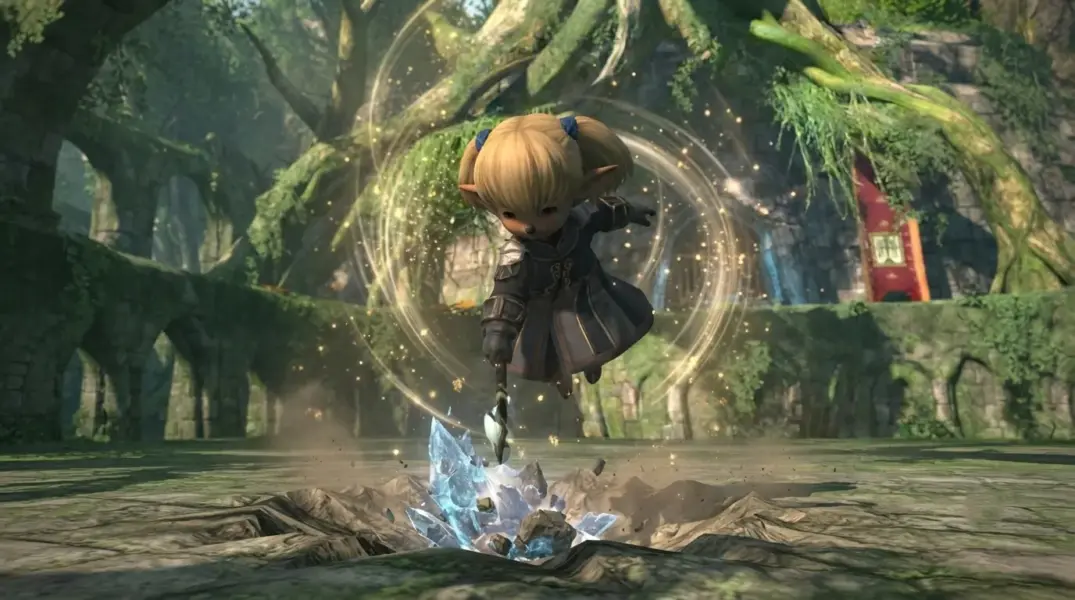
Joy-Con 2 mouse mode is the standout Switch 2 feature — a genuine mouse, not a motion pointer, confirmed by the director alongside full keyboard-and-mouse support. His suggested split: hard content docked with keyboard/mouse, casual gathering/crafting handheld.
Touchscreen is useful rather than transformative — handy for tapping UI, but menus weren’t redesigned around touch. Handheld text can feel cramped at default size; UI scaling helps. For party chat, an external USB keyboard beats the on-screen one during Duties.
Switching from keyboard and mouse to controller — or learning FFXIV’s controls for the first time? Our FFXIV Coaching service gives you expert help to improve your gameplay and get comfortable with harder content faster.
Switch 2 Portability, Battery Life, and Storage
PS5 needs 90 GB minimum; Switch 2 needs 120 GB minimum (~117.2 GB estimated download), eating nearly half the console’s 256 GB storage. A microSD Express card — not a standard microSD — is worth it if you’re keeping other games installed.
Battery life reports vary too much by settings to trust a single number; budget for a charger. Switch 2 weighs around 534 g with both Joy-Cons attached — tabletop mode or a Pro Controller may be comfier for long sessions.
PS5 isn’t fully TV-bound either: FFXIV supports PS Remote Play, though that streams from your PS5 rather than running natively, so it depends on your network.
FFXIV Cross-Progression, Account Linking, and Platform Licenses
- Match your regions. Your Square Enix account region (Japan / Americas / Europe & Other) must match your linked Nintendo account’s region.
- The account link is permanent. Your Switch 2 profile links to the Square Enix account you pick on first launch — that can’t be changed or transferred later.
- Licenses don’t transfer between platforms. You need equivalent base-game and expansion rights on each platform — owning Dawntrail on PS5 doesn’t unlock it on a Starter Edition Switch 2 account.
- Existing players: pick your existing Service Account, not a new one, or your characters won’t be there.
- Console versions are added by purchase/activation, not registration codes; Steam licenses stay Steam-locked but still cross-progress to PS5/Switch 2.
- HUD, hotbars, and macros are local settings — back them up from the character-selection screen when switching platforms.
Free Trial: generous, but limited to one platform per account, restricted (no Market Board, Free Companies, PvP, Ultimates, and more), and once you upgrade to paid, there’s no going back — on any platform.
Starting FFXIV from scratch or returning after a long break? Browse our FFXIV Power Leveling services for main and alt jobs, MSQ progression, crafting, gathering, and other leveling options.
FFXIV Switch 2 or PS5: Which Should You Choose?
Mostly docked on a TV? PS5 is the easy call — independent testing found docked Switch 2 clearly behind on resolution, detail, and consistency. The port’s real value is native handheld play, not competing with PS5 as a TV console.
Get PS5 for the smoothest, most consistent experience and the safer choice for Savage/Ultimate raiding. Get Switch 2 if portability genuinely matters — gathering, crafting, and roulettes on the go (with Wi-Fi, since FFXIV is always-online), a clever mouse-and-touchscreen input scheme, and a cheap way to add access if you already sub elsewhere.
If gathering and crafting are a big reason you’re considering FFXIV on Switch 2, our FFXIV Professions Bundle can efficiently level one crafting and one gathering profession so you can spend more of your portable sessions actually using them.
Cross-progression makes the director’s own suggested split practical: PS5 or PC for performance-sensitive content, Switch 2 for portability — just remember each platform needs its own license for what you want to play.
Check out more FFXIV 7.5x guides:
- FFXIV The Clyteum Dungeon Guide: Boss Mechanics and Rewards
- FFXIV Beastmaster Job Guide: September 8 Release, Beast Abilities, and Crucible
- FFXIV Patch 7.55 Guide: Everything Coming on July 28
- FFXIV Patch 7.5 Jobs Tier List & Job Balance Guide: Preparing for Dancing Mad (Ultimate)
- FFXIV Patch 7.5 “Trail to the Heavens” – Full Guide

Frequently Asked Questions
Is FFXIV better on Nintendo Switch 2 or PS5?
PS5 is better for players who want higher frame rates, sharper visuals, faster loading, and the most consistent experience in demanding content. Switch 2 is better if native handheld play, portability, touchscreen controls, and quick sessions matter more.
Is Final Fantasy XIV worth playing on Switch 2?
Yes. FFXIV runs well enough on Switch 2 to make it a strong portable version, especially for gathering, crafting, roulettes, and general progression. It is less impressive when docked compared with PS5, but handheld play is where the Switch 2 version makes the most sense.
Does FFXIV run at 60 FPS on Nintendo Switch 2?
FFXIV can reach close to 60 FPS on Switch 2 in lighter areas and some Duties when running uncapped. It does not maintain 60 FPS consistently, with crowded hubs and denser scenes generally running closer to the 30–45 FPS range.
What FPS does FFXIV run at on Switch 2?
Square Enix targets around 30 FPS as a stable baseline on Switch 2. Independent testing shows that uncapped performance can rise toward 60 FPS in lighter scenes, while crowded locations commonly fall into roughly the 30–45 FPS range.
Does FFXIV on Switch 2 require a separate subscription?
Yes. The Nintendo Switch 2 version has its own separate subscription and is not automatically covered by an existing PS5, PC, or other-platform subscription.
How much does the FFXIV Switch 2 subscription cost?
The Entry plan costs 1,300 FFXIV Coins for 30 days, while Standard costs 1,500 Coins for 30 days. Standard for 90 days costs 4,200 Coins total. Eligible multi-platform players can receive a 50% discount, reducing those prices to 650, 750, and 2,100 Coins respectively.
Can I use the same FFXIV account on PS5 and Switch 2?
Yes. You can use the same Square Enix Service Account and characters on both PS5 and Switch 2, provided you register the Switch 2 version to the same existing Service Account.
Does FFXIV support cross-progression between PS5 and Switch 2?
Yes. Characters, progression, gear, and other server-side progress carry between PS5 and Switch 2 when both versions are linked to the same Service Account.
Can I transfer my FFXIV character from PS5 to Switch 2?
You do not need to manually transfer the character. Select your existing Service Account when setting up FFXIV on Switch 2, and your existing characters will be available there automatically.
Do I need to buy FFXIV again on Switch 2 if I already own it on PS5?
Yes. Platform licenses do not transfer, so owning FFXIV on PS5 does not automatically grant access to the Switch 2 version. You need a separate Switch 2 license.
Do I need to buy Dawntrail again on Switch 2?
Yes, if you want to access Dawntrail content on Switch 2. Expansion licenses are platform-specific, so owning Dawntrail on PS5 does not unlock Dawntrail on a Switch 2 account that only has the Starter Edition.
Do I need Nintendo Switch Online to play FFXIV on Switch 2?
No. Nintendo Switch Online is not required to play FFXIV on Switch 2. However, NSO subscribers receive one extra Aetheryte that can be registered as a free 0-gil teleport destination while playing the Switch 2 version.
How does the 50% FFXIV Switch 2 subscription discount work?
The Switch 2 subscription is available at half price when your Square Enix account has remaining paid game time on another platform. The discount does not apply while you are using free game time on that other platform.
What are FFXIV Coins and how do they work on Switch 2?
FFXIV Coins are purchased through the Nintendo eShop and are used to pay for the Switch 2 subscription, account services, and eligible optional items. After purchasing Coins, close and relaunch FFXIV so the new balance is credited to your account.
Can I use the FFXIV Free Trial on Switch 2 if I already played it on PS5?
No. The Free Trial is limited to one platform per Square Enix account. If you already used the trial on PS5, you cannot simply add a separate Switch 2 Free Trial to the same account.
What resolution does FFXIV run at on Switch 2 handheld and docked?
Independent testing suggests the Switch 2 version tops out at around 1080p when docked, while handheld gameplay appears to render closer to roughly 720p beneath a sharp UI. These are measured observations rather than official Square Enix resolution specifications.
How do FFXIV load times compare on Switch 2 vs. PS5?
PS5 is faster during normal in-game loading. Post-hotfix testing measured character loading at about 7 seconds on PS5 versus 14–15 seconds on Switch 2, while a Limsa Lominsa to New Gridania teleport took roughly 7–8 seconds on PS5 and 12 seconds on Switch 2.
How much storage space does FFXIV need on Nintendo Switch 2?
Square Enix lists 120 GB of free storage as the minimum for Switch 2. Nintendo’s storefront currently estimates the download at around 117.2 GB, which uses nearly half of the console’s 256 GB internal storage.
Does FFXIV on Switch 2 support keyboard and mouse and Joy-Con 2 mouse controls?
Yes. Switch 2 supports keyboard and mouse input, including Joy-Con 2 mouse controls. The touchscreen can also be used for some UI interactions, although the menus are not fully redesigned around touch input.
Is PS5 or Switch 2 better for FFXIV Savage and Ultimate raids?
PS5 is the better choice for Savage and Ultimate raiding because it offers higher and more consistent frame rates, faster loading, and more performance headroom. Switch 2 can still handle demanding content, but its biggest advantage is portability rather than maximum performance.