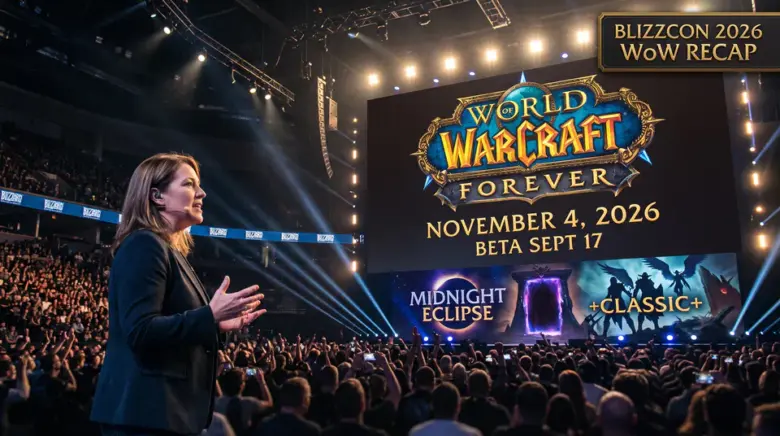
WoW Forever add-ons work on Mainline's 12.1.5-era API, so addons already rebuilt for Midnight are the ones most likely to load in the beta, while Classic-era addons generally do not. WeakAuras is listed as an addon to consider in one guide, while another says it is not coming back; computational addons that solve combat math for you are restricted. The beta opened September 17, 2026, and compatibility is still being written by authors, so treat every list as provisional.
Which add-on categories work in the Forever beta
Forever runs on Mainline's UI architecture and shares the vast majority of APIs available in 12.1.5, which is the Midnight-era API set. Addons already updated for Midnight can likely be ported over more easily, and Retail or Mainline addons might work but need checking.
Practical categories to build around:
- Combat alerts: Deadly Boss Mods or BigWigs for boss mechanic cues, and OmniCD for party defensive and offensive cooldowns.
- UI overhauls: Classic UI for Forever, ElvUI, and ForeverUI.
- Nameplates: Plater Nameplates.
- Quality of life: Leatrix Plus or ForeverPlus, Bagnon or AdiBags, and Auctionator.
One older page expected quest and leveling trackers to carry over with low risk, damage meters and boss tools at medium risk, auction house addons at medium risk, and full UI replacement suites at high risk, and advised pre-downloading two leveling options as backups. The page was published before the September 16 API news, so its expectations may not reflect the current picture.
What is broken or restricted
Classic-era addons do not simply load: their authors must rebuild them against the new API. Addons built for WoW: Classic target the old API, and many will need to be remade.
The Midnight disarmament applies in full, including secret values and the 12.1.0 AuraContainer and AuraButton changes. Blizzard's stated goal is that addons should not provide a competitive advantage. Computational addons — the ones that solve combat math for you — will be limited.
WeakAuras halted development before Midnight because of the API changes, and no route back has been announced. Plan your UI around what the default HUD plus surviving addons can do.
The built-in UI and cooldown manager
A new, modernized HUD ships with Forever, with unit frames, bags and action bars that look closer to Retail than to 2004, and you can customize it toward the Classic look. Press Esc and select edit mode to open the HUD Edit Mode box, where you can drag, resize, snap and customize almost every interface element, including action bars, player and target frames, raid frames, and cooldown managers.
Two built-in features worth turning on before you install anything: Click Casting and Mouseover, found in the keybindings menu, which let you cast by hovering over or clicking unit frames, and the Personal Resource Display, which shows a health and resource bar above your model in combat.
Because the stock UI now covers cooldown tracking and frame customization, the overlap with common addon functions is real: a cooldown manager addon or a unit frame overhaul is competing with a feature the game already ships. Start with the default interface, add only what is missing, and layer in customization once authors confirm compatibility.
How to set up add-ons for the beta
Install an addon manager such as CurseForge or the Wago App, then select four core addons to start. Forever shares the retail/Interface/AddOns directory with retail WoW, which is why retail addons can appear on your Forever character select screen until you disable or remove them. The recommended pattern is two separate profiles, one for retail and one for Forever, which the CurseForge client supports through its per-game profile system.
Keep the AddOns directory under 200 addon folders at launch, since load times climb and the chance of two addons stepping on each other's saved variables rises sharply beyond that.
If you want the leveling side of the beta handled for you while you sort your interface, a WoW Forever Leveling Boost covers the 1-to-60 climb.
What to do if your setup does not work
Work through the small toolkit that covers nearly every common case:
- Exit the game completely.
- Rename the entire
retail/Interface/AddOnsfolder toAddOns_backup. - Launch Forever once so the client recreates a clean AddOns folder, then exit again.
- Reinstall addons in batches of five to ten and test each batch in-game.
That reset clears the issue in roughly 90% of cases, and batching isolates the bad addon faster than trial and error. Before you start, back up your Classic Era WTF folder, since settings rarely survive an API generation change.
Skip any addon that promises automated play, gold farming, or guaranteed loot — those violate the terms of service. Also avoid stacked UI suites from unverified authors until the community has tested them in a real raid. Community reports repeatedly warn against loading full UI overhauls before the API stabilizes.

Frequently Asked Questions
Will my Classic addons work in Forever?
Mostly no. Forever runs on Mainline's UI architecture, not Classic's, so Classic-built addons need remaking for the new API.
Will WeakAuras work in Forever?
No. WeakAuras halted development before Midnight because of the API changes, and no route back has been announced.
Do the Midnight addon restrictions apply in WoW Forever?
Yes. Secret values, the 12.1.0 AuraContainer and AuraButton changes, and the rest of the disarmament package are active in Forever, and computational addons are restricted.
Can I use the same addons for Forever and retail WoW?
Technically yes, because both share the retail/Interface/AddOns directory, but practically you should separate them with two profiles so a retail-only addon does not throw errors when you log into Forever.
How do I check compatibility before installing?
Open the addon's CurseForge page and look for a last update date within 14 days and comments mentioning Forever or version tags matching the current build. Authors typically push compatibility patches within the first 72 hours of a new client build.
Can the default HUD look like Classic?
Yes. The new HUD is customizable toward the Classic look, per demo testing. Add-on support during beta can change, so check author channels and the official Forever site for the current state before you commit to a full setup.