
For WoW Forever, the best Hunter macros to set up first are independent pet attack and recall buttons, protected Auto Shot, and a pet-safe trap button. Pet commands can accompany a spell without using your global cooldown, while modifier keys let you choose between abilities on the same action-bar slot.
How to create and write Hunter macros
- Enter
/macroin chat to open the editor;/mor Escape → Macros opens it too. - Select General for a macro shared by your account's characters, or the character tab for one character's macros.
- Click New, enter a name and choose an icon if you want one.
- Enter the commands with a separate line for each, beginning with
#showtooltipfor the spell's icon and tooltip. - Drag the macro onto your action bar and use that slot's keybind.
Commands run from the first line downward, with a limit of 255 characters per macro; spell names need to match your client's language. #showtooltip displays information, while /cast performs the spell action: a tooltip line alone does not cast your ability.
| Syntax | What it selects or does |
[@mouseover,harm,nodead][] | A living hostile mouseover, falling back to your current target. |
[mod:shift], [mod:ctrl], [mod:alt] | An alternative action while you hold that modifier. |
[nopet], [@pet,dead] | Different actions depending on whether your pet is absent or dead. |
; in a conditional /cast | Separates spell choices; the first matching choice runs. |
! before a toggleable spell | Prevents another press from switching that ability off. |
/use 13 and /use 14 | Uses your equipped first and second trinket slots. |
A macro does not bypass the global cooldown: multiple abilities that trigger it cannot all execute on one press. /castsequence advances through its spells with successive presses rather than playing a complete sequence automatically.
Hunter pet attack, recall and positioning macros
Attack your mouseover or current target
This WoW Forever Hunter macro for pet attack sends your pet to a hostile mouseover without changing your own target; otherwise, it uses your target.
/petattack [@mouseover,harm,nodead][]For manual control, we'd keep the pet Passive: it still obeys attack commands, while its automatic behavior cannot redirect it to something else. You can bind attack to Shift + mousewheel up and follow to Shift + mousewheel down.
Recall and stop chasing
Use both Passive and Follow to stop the pet fighting and bring it back.
/petpassive
/petfollow
To combine sending and recalling, a plain press attacks your target and Alt recalls your pet.
/petattack [nomod]
/petpassive [mod:alt]
/petfollow [mod:alt]
Add pet movement abilities
Your WoW Forever Hunter pet macros can include learned movement abilities: the attack version uses Charge against the pet's target, followed by Dash and Dive.
/petattack [@mouseover,harm,nodead][harm,nodead]
/cast [@pettarget,harm,nodead] Charge
/cast Dash
/cast Dive
The recall version uses Dash or Dive to speed the return; your pet needs the relevant ability.
/petpassive
/petfollow
/cast Dash
/cast Dive
Park the pet on the ground
/petmoveto opens a ground reticle: click a destination and your pet moves there and stays.
/petmovetoUse it to move the pet away from a patrol route without selecting an attack target.
Control Growl and family utility
This button switches Growl autocast on or off; the pet-bar ability glows when autocast is enabled.
#showtooltip Growl
/petautocasttoggle Growl
Disable Growl when a group tank should hold enemies, and enable it again for solo play. For automatic group-based switching, use these commands.
/petautocastoff [group] Growl
/petautocaston [nogroup] Growl
Keep utility such as Spider Web, Bat Sonic Blast or Hyena Tendon Rip under manual control when timing matters in PvP. For a Spider, this simple attack-and-utility button uses Web; replace the spell and tooltip with your own family's ability.
#showtooltip Web
/petattack
/cast Web
Intimidation can likewise accompany /petattack; in the client, the pet's next successful attack stuns for three seconds, gains 100% increased critical strike chance and produces high threat.
Hunter's Mark: pull or mark without attacking
Mark and send the pet for solo leveling
This version applies Hunter's Mark while ordering the pet onto your target.
#showtooltip Hunter's Mark
/petattack
/cast Hunter's Mark
We'd use this for solo questing and keep marking separate in dungeons or raids: an early mark with the attack line can send your pet into a pull before the group is ready. Let the pet establish threat before opening with your shots.
Mark a mouseover without sending the pet
This version marks the hostile unit under your pointer, with your current target as the fallback, and contains no pet attack command.
#showtooltip Hunter's Mark
/cast [@mouseover,harm,nodead][] Hunter's Mark
For a mark that actively recalls the pet too, add /petpassive and /petfollow before the cast line.
Auto Shot that repeat presses cannot turn off
The exclamation mark makes repeated presses keep Auto Shot enabled; this version clears a dead target and selects an enemy when your current target is not hostile.
#showtooltip Auto Shot
/cleartarget [dead]
/targetenemy [noharm]
/cast!Auto Shot
For a button that never selects another enemy, retain only the tooltip and /cast!Auto Shot lines. To shoot the enemy your pet is fighting instead, use /assist pet before that cast.
Auto Shot still needs a stationary 0.5-second firing window; the built-in swing timer is available by searching for “swing” in Options. Continuous movement feels unnecessary when the pet holds aggro to some players, who prefer standing and shooting.
The loss of Auto Shot clipping spoiled the rhythm for one player.
Sadly with clipping of auto shots removed, it is very boring gameplay.
— one player
Freezing Trap and Feign Death safety buttons
Freezing Trap with pet Passive
This button puts the pet on Passive before placing Freezing Trap, keeping it from continuing its attacks into the trap.
#showtooltip Freezing Trap
/petpassive
/cast Freezing Trap
Freezing Trap becomes available at level 20, and its first rank holds an enemy for up to ten seconds; damage breaks the freeze. Use /petdefensive when you want automatic defensive behavior again after setting the trap.
Put different traps on modifiers
A plain press places Freezing Trap, Shift selects Immolation Trap and Ctrl selects Frost Trap.
#showtooltip
/cast [mod:shift] Immolation Trap; [mod:ctrl] Frost Trap; Freezing Trap
Traps work during combat, with Fire and Frost traps on separate cooldowns and one trap of each type allowed at once. Freezing Trap shares its 30-second cooldown with Frost Trap, while Immolation Trap shares the Fire cooldown with Explosive Trap.
Frost Trap requires level 28, so the Ctrl branch needs that spell learned first. Holding a modifier changes the displayed spell, letting you inspect the other trap family's cooldown without adding another action-bar slot.
For Survival Hunter builds, the two-rank Survivalist's Discipline talent reduces trap and Deterrence cooldowns by 40% at maximum rank.
Feign Death without leaving the pet fighting
From level 30, this escape button stops your attacks, interrupts your current cast, recalls your pet on Passive and uses Feign Death while you are in combat.
#showtooltip Feign Death
/petpassive
/petfollow
/stopattack
/stopcasting
/cast [combat] Feign Death
Stay down until the enemies move away; Feign Death can be resisted. Against a beast, alternating Freezing Trap and Scare Beast can buy time to recover mana, bandage or revive your pet.

Aspect modifiers and instant Cheetah cancellation
Hawk, Cheetah and Monkey on one button
A plain press selects Hawk, Shift selects Cheetah and Ctrl selects Monkey; ! prevents repeated presses from removing the chosen aspect.
#showtooltip
With Shift held, cast!Aspect of the Cheetah; with Ctrl held, cast!Aspect of the Monkey; otherwise cast!Aspect of the Hawk.
Use Hawk for ranged attacks, Cheetah for travel and Monkey when you are taking melee hits. Cheetah requires level 20, adds 30% movement speed and causes a four-second daze when you take damage; only one aspect can remain active.
For a travel-only alternative, put Cheetah on a plain press and Pack on right-click.
#showtooltip Aspect of the Cheetah
Mouse button 2 triggers!Aspect of the Pack, with!Aspect of the Cheetah as the fallback.
Remove Cheetah or Pack without swapping aspects
These commands remove either movement aspect immediately without spending mana or a global cooldown.
/cancelaura Aspect of the Cheetah
/cancelaura Aspect of the Pack
We'd keep this separate for kiting: swapping to another aspect costs mana and triggers a 1.5-second global cooldown, while cancellation lets you drop the daze risk before an incoming hit. Reapply the travel aspect after the hit if you still need the speed.
Raptor Strike and Mongoose Bite melee macro
Raptor Strike can share a press with Mongoose Bite because it does not use the global cooldown; this queues Raptor Strike and attempts Mongoose Bite.
#showtooltip Raptor Strike
/cast Raptor Strike
/cast Mongoose Bite
Mongoose Bite normally becomes available after you dodge; at maximum rank, the two-rank Expose Prey talent also gives attacks against marked enemies a 10% chance to enable it for ten seconds. Raptor Strike modifies your next melee swing and has a six-second cooldown.
/startattack appears in older melee examples, but Forever abilities already begin auto-attacking, making the extra line redundant. You can pair Raptor Strike with Wing Clip, Strider Kick or Counterattack instead when you want those abilities to share its key.
Deterrence with Aspect of the Monkey
For a melee emergency, this button activates Deterrence and selects Monkey without toggling the aspect off on another press.
#showtooltip Deterrence
/cast Deterrence
/cast!Aspect of the Monkey
Deterrence is a single-rank Survival talent that increases dodge and parry by 25% for ten seconds. It is available in the level-20 talent tier, has a base five-minute cooldown and can accompany the aspect because Deterrence is off the global cooldown.
Call, revive, heal and feed your pet
Call Pet, Revive Pet and Mend Pet
This conditional button revives a dead pet, calls an absent pet and heals a living one; Shift forces Revive Pet when the body has disappeared.
#showtooltip
/cast [mod:shift] Revive Pet; [@pet,dead] Revive Pet; [nopet] Call Pet; Mend Pet
You receive Call Pet, Revive Pet, Feed Pet and Beast Training through the level-10 Hunter quest, with Mend Pet available at level 12. For a separate call-or-dismiss button, use the following arrangement.
#showtooltip
/cast [@pet,exists] Dismiss Pet; Call Pet
At maximum rank, the two-rank Improved Revive Pet talent shortens the cast by six seconds, cuts its mana cost by 40% and adds 30% to the health restored on revival. The two-rank Improved Mend Pet talent gives each healing tick a 50% chance to remove one Curse, Disease, Magic or Poison effect and reduces mana cost by 20%.
Feed Pet with an item name
This version only feeds while your pet is present and you are outside combat; replace the food with something your pet eats.
#showtooltip Feed Pet
/cast [pet,nocombat] Feed Pet
/use [pet,nocombat] Chunk of Boar Meat
Delete the example item's name and Shift-click your food in the bag to insert its exact name. Feed one item, then let the 15-second feeding effect finish before feeding another.
Shot modifiers and burst cooldowns
Aimed Shot or Multi-Shot
This button uses Aimed Shot normally and Multi-Shot with Shift.
#showtooltip
/cast [mod:shift] Multi-Shot; Aimed Shot
/cast!Auto Shot
Aimed Shot is learned from the trainer at level 20, rather than requiring a Marksmanship talent; that baseline access is one of the WoW Forever class changes. Its trained ranks have a two-second cast and six-second cooldown, shared with Multi-Shot.
Multi-Shot becomes available at level 18, hits three targets and has a 0.5-second cast; use that branch when you want to hit nearby enemies together.
Summon Hawk or Arcane Shot
This Beast Mastery arrangement selects Summon Hawk normally and Arcane Shot with Alt.
#showtooltip
/cast [mod:alt] Arcane Shot; Summon Hawk
Summon Hawk is a single-rank talent whose hawk attacks for 18 seconds, with no more than two hawks active; it shares a cooldown with Arcane Shot. Arcane Shot's base cooldown is six seconds; the five-rank Improved Arcane Shot talent reduces its own cooldown by 1.5 seconds at maximum rank without reducing the cooldown of spells that share it.
For mouseover hawks, the cast line can instead be /cast [@mouseover,harm,nodead][] Summon Hawk.
Stings on one button
This version casts Serpent Sting without a modifier, Viper Sting with Alt and Scorpid Sting with Ctrl; the actual selection belongs on /cast, below the tooltip line.
#showtooltip
/cast [mod:alt] Viper Sting; [mod:ctrl] Scorpid Sting; Serpent Sting
An alternative layout uses Shift for Scorpid Sting and Ctrl for Viper Sting. At maximum rank, the three-rank Improved Stings talent increases Serpent Sting damage by 20%, reduces Viper Sting's cooldown by six seconds and extends Scorpid Sting by 45 seconds.
Rapid Fire, racials and trinkets
Rapid Fire, a learned racial, Bestial Wrath when talented and usable trinkets can share a burst button; remove racial lines that do not apply to your character if you want a shorter macro.
#showtooltip Rapid Fire
/use 13
/use 14
/cast Rapid Fire
/cast Elune's Light
/cast Blood Fury
/cast Berserking
/cast Bestial Wrath
Elune's Light is the Night Elf option, Blood Fury the Orc option and Berserking the Troll option. An equipped trinket without a usable effect contributes nothing to the press.
Rapid Fire is available at level 26, lasts 15 seconds and has a base five-minute cooldown. Bestial Wrath is a single-rank Beast Mastery talent that increases pet damage by 50% for 18 seconds; at maximum rank, the two-rank Rapid Killing talent reduces Rapid Fire's cooldown by two minutes.
Mouseover, focus and scouting utility
Cast utility without changing targets
A mouseover Concussive Shot lets you slow another enemy while keeping your main target selected.
#showtooltip Concussive Shot
/cast [@mouseover,harm,nodead][] Concussive Shot
Use the same targeting pattern with Tranquilizing Shot or Scare Beast when you need those spells on a different enemy. Tranquilizing Shot requires level 60 and has a 20-second cooldown.
For a saved secondary target, set your focus with this hostile-mouseover button.
/focus [@mouseover,harm,nodead]Then use focus-first Tranquilizing Shot, falling back to your target if the focus is not a living enemy.
#showtooltip Tranquilizing Shot
/cast [@focus,harm,nodead][@target] Tranquilizing Shot
The unrestricted /focus mouseover alternative can focus your pet as well, or clear focus when nothing is under your pointer; Edit Mode lets you enlarge the focus frame for easier health and cast monitoring.
Chain Eagle Eye and place Flare at your cursor
The Eagle Eye macro lets you recast from your current scouting view instead of returning to the Hunter.
#showtooltip Eagle Eye
/cast!Eagle Eye
It only loads creatures in your current zone, so use it to inspect potential rare-spawn positions there; Escape ends the view.
From level 32, this Flare button places the spell at your cursor without a second ground click.
#showtooltip Flare
/cast [@cursor] Flare
The same cursor placement works with Volley from level 40 by replacing the spell name in both lines.
Inspect attack speed and find a named target
This script prints the selected unit's attack speed, including when you target your own pet.
/run mainSpeed, offSpeed = UnitAttackSpeed("target") print(format("%s: attack speed = %.2f", GetUnitName("target"), mainSpeed))For a named rare or quest enemy, /target followed by its name selects it when it is nearby; a partial name can work too. To search for Broken Tooth without adding an attack, use this button.
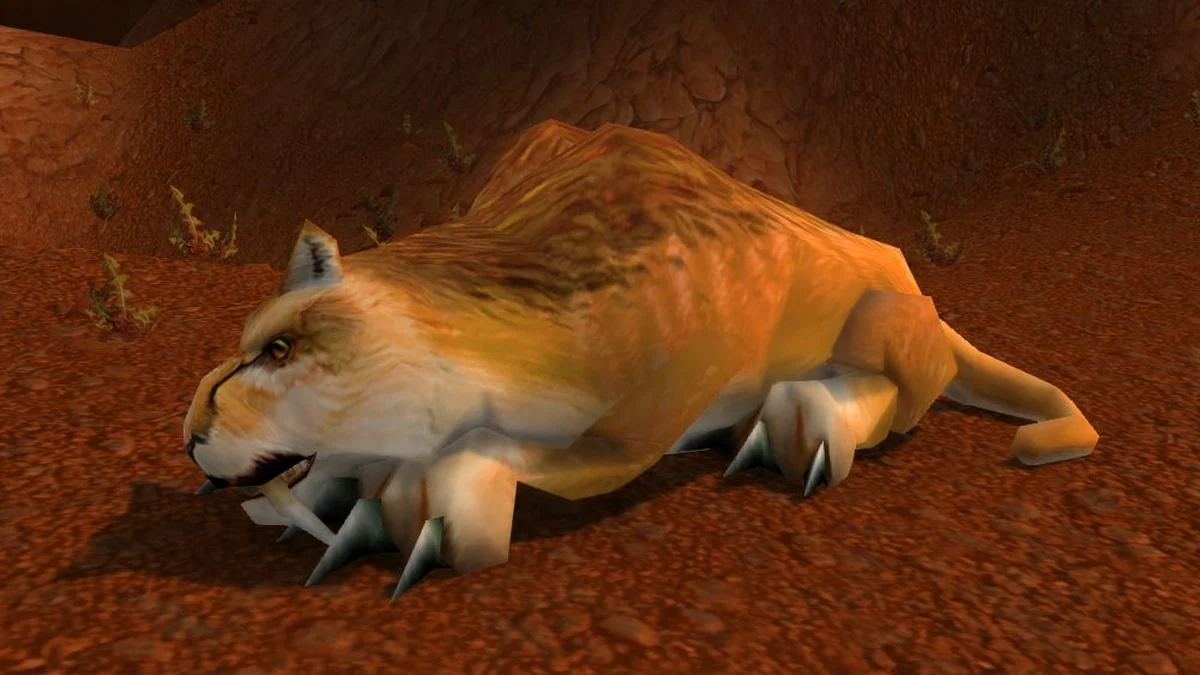
Broken Tooth. Image: Warcraft Wiki.
/target Broken ToothAfter acquiring the unit, right-click its frame and assign a target marker to help locate it visually. For a quest enemy you intend to tag, adding /cast Arcane Shot after the target line attempts an immediate ranged attack as you press the button.
Tracking and extra action buttons
For deliberate tracking selection, this button uses Track Humanoids normally, Track Hidden with Shift and Track Beasts with Ctrl.
#showtooltip
Holding Shift casts Track Hidden; holding Ctrl casts Track Beasts; if neither key is held, Track Humanoids is cast.
The five-rank Improved Tracking talent increases your damage against the tracked creature type by 5% at maximum rank. Automatic target-type tracking is an open-world convenience; API restrictions block that automatic switching during instanced combat, so it is unsuitable as your dungeon or raid solution.
When an encounter or quest provides an extra action button, these commands stop your current cast and activate that button.
/stopcasting
/click ExtraActionButton1
What players report
Name-based macros have caused trouble on the official WoW: Forever forums: three players reported that older whisper commands captured only a first name and failed to find the intended recipient.
A whisper command using SendChatMessage with GetUnitName("target") worked for two players on those forums. Full first-and-last-name targeting with /targetexact failed for two others there.
A /reload sometimes cleared the restricted-action error in one official-forum player's experience. Rank-free spell macros selected the highest learned rank for two forum players, while three disliked that maximum-rank macros did not automatically choose lower ranks for low-level recipients.